.png)

Learning Center


INTRODUCTION
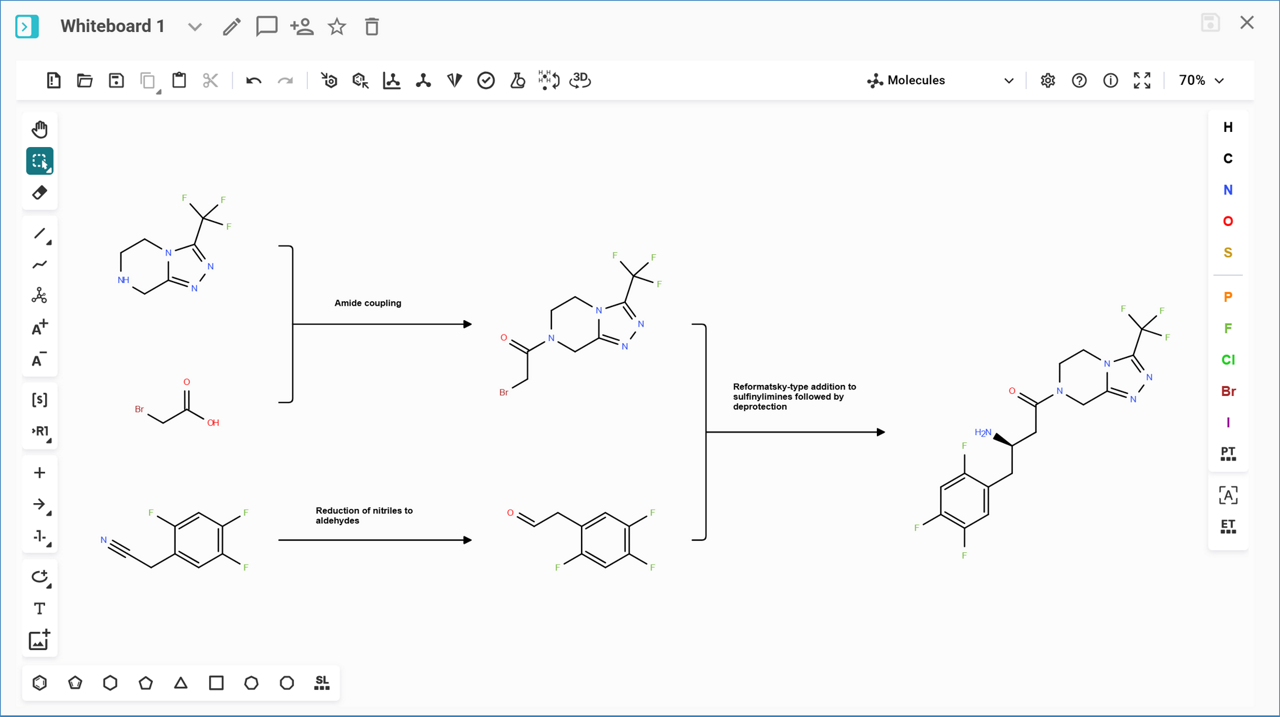
The Whiteboard feature in SYNTHIA® enables users to brainstorm and design synthetic pathways within the platform. With this feature, you can select pathways, reactions, and molecules from any analysis results and transfer them to the Whiteboard. Once added, these elements can be further modified using the integrated molecule editor, allowing you to draw additional molecules and reactions directly. The Whiteboard offers the flexibility to create customized pathways by combining reactions from multiple analyses with your own expertise and insights.
Note: To see how to setup Retrosynthesis analyses with SYNTHIA™ Retrosynthesis software, you may refer to the following guides:
>> Automatic Retrosynthesis Analysis
>> Step-by-Step Retrosynthesis Analysis
>> Shared Path Library Analysis
>> Diversity Library Analysis
